DocuWare's latest version, 7.11, will begin rolling out to cloud customers in October. Here we take a look at what's coming in this version and how it will benefit you.
With 7.11 DocuWare will offer a connector for Microsoft Power Automate and the suite of applications available on the platform. This includes Microsoft Dynamics, SharePoint and Office, as well as many more.
This will simplify connecting DocuWare Cloud with other cloud apps without the need for complex programming and allow for enhanced workflow capabilities such as automated storage and retrieval.
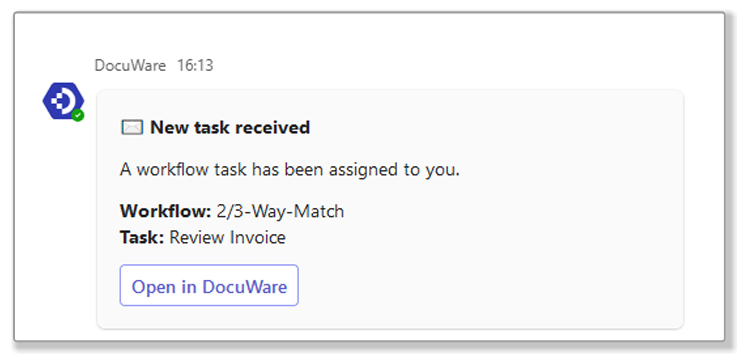
The integration between DocuWare and Micosoft Teams has been updated to allow for Task notifications within Teams. As well as the Task list in Teams, notifications will allow users to immediately be notified when a DocuWare Task is assigned to them and action it via single click from within the Teams app.
The latest version of the Add-in provides several improvements, especially with regard to storage locations. Trays and Filing Cabinets can be synchronised with the DocuWare web client and adjusted within the Add-in for specific use cases.
Better yet, special store dialogs can be created specifically for the add-in, allowing for predefined entries such as "Email" for Document Type.
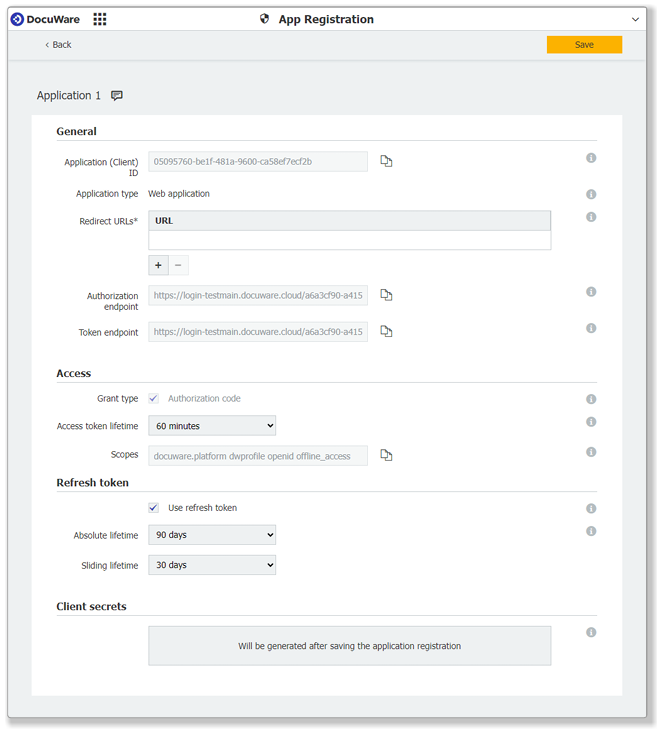
Any applications integrated into DocuWare via the DOcuWare API must now use oAuth2 authentication. Registration of applications can be done via a new component within DocuWare - this is currently optional but will become mandatory, so we'll be registering as a matter of course from now on.
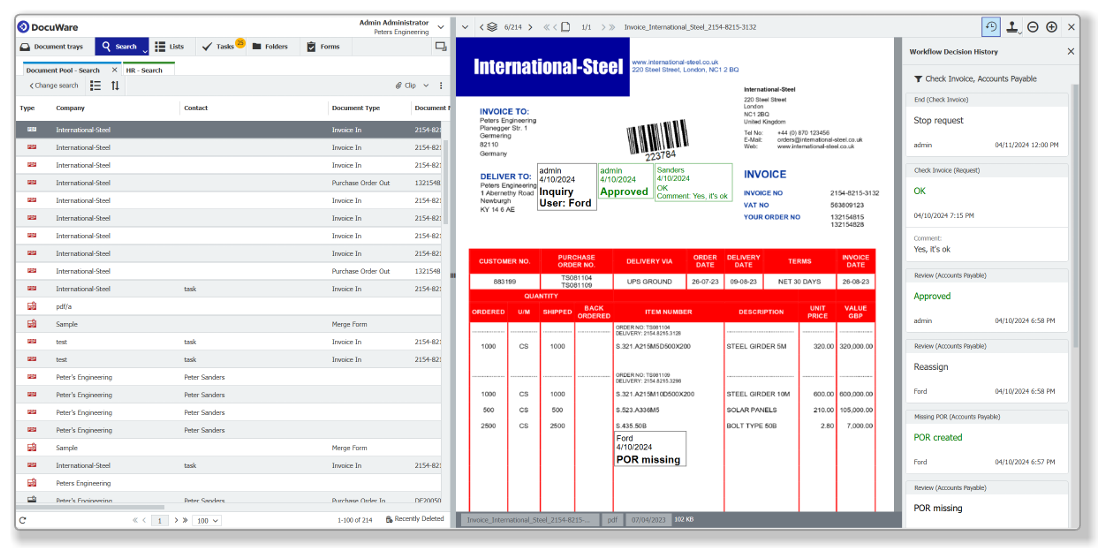
With DocuWare version 7.11 you will be able to view every decision taken on a document in a sidebar within the viewer. The sidebar can be called up for any document that has entered a workflow and comes in addition to the existing workflow history.
Unlike the workflow history, however, the decision history does not include automated activities, making it much easier to follow for the average DocuWare user. It can also be filtered by workflow, so if a document has passed through several you can narrow it down to only the one you are interested in.
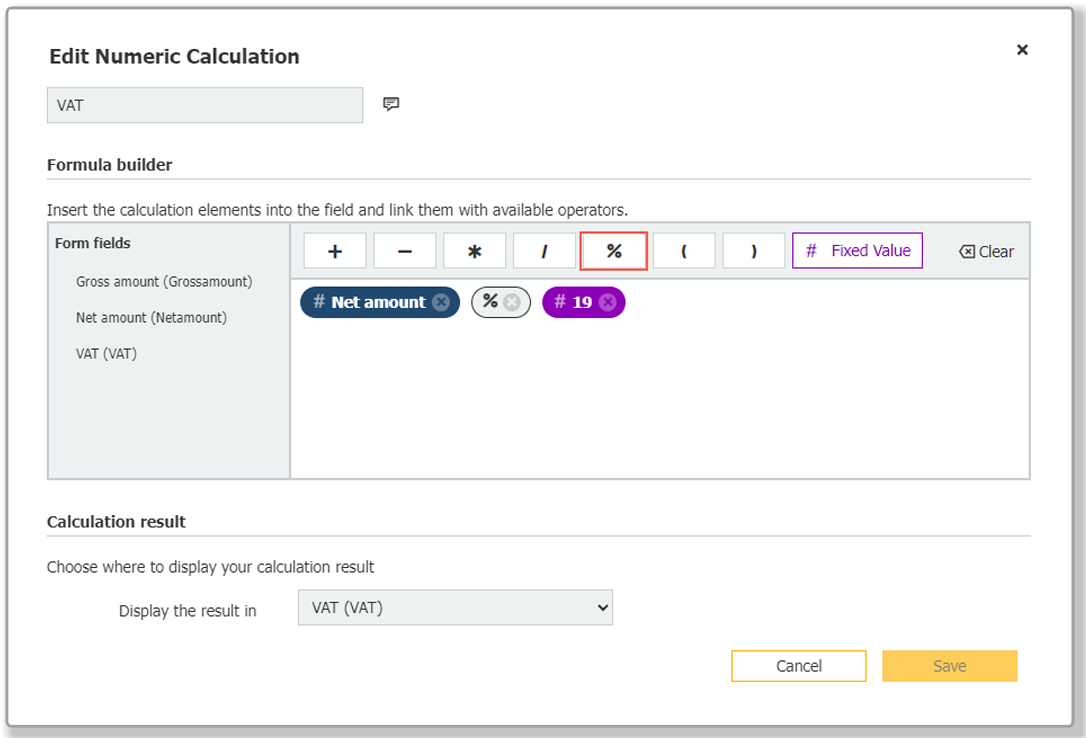
Calculations in DocuWare Forms have been further boosted with the ability to select % as an operator alongside the basic arithmetic operations. This allows for automatic percentage calculations within DocuWare Forms - VAT, for example. As a user enters information into the form the % calculation can be used to automatically populate other fields.
Text entered into a the text area of a merge form via a workflow (rather than the form itself) can now be wrapped, preventing text being cut off.
The move to oAuth2 authentication will require a few things from us and from customers in order that DocuWare continues to work correctly.