We've talked a lot about the document management side of DocuWare over the last couple of years without giving great detail to workflow automation, which is a key component. That's why we wanted to produce this guide for you.
Every day the people in your business carry out countless manual tasks that, whilst necessary, a very basic. These are your business processes and can include things like invoice processing, contract processing, human resource tasks like holiday approvals and the recruitment process.
These tasks generally involve a decision based around an "if/then" format. By using software to deal with the decisions based on your rules, you can automate the process - or workflow - with much less human interaction.
When an invoice is stored in DocuWare Intelligent Indexing accurately reads it, capturing data like the invoice amount. Typically one of your accounts team would need to check the invoice and decide whether it can be paid or if an approval from a manager or director is required.
With workflow automation you can bypass that step. When the invoice is stored a workflow starts based on the "if/then" format:
That is the most simplistic type of workflow automation and can be built out to automate things like who should approve it (based on supplier, cost centre or nominal code, for example). Workflow automation becomes a mix of automatic decisions and human interaction, all based on your business rules.
The key to successfully implementing workflow automation into your business is to map your business processes. This will help you identify the most time consuming or difficult tasks - your pain points as we like to call them.
Whatever the process is, ask yourself these questions:
Once you've answered these questions you can map your process.
Drivers of HGVs have to carry out daily checks of their vehicles for defects and required repairs. Typically this is done on a paper form and handed into the transport office. That would be the start of the process, which would then involce:
So how can this process be automated?
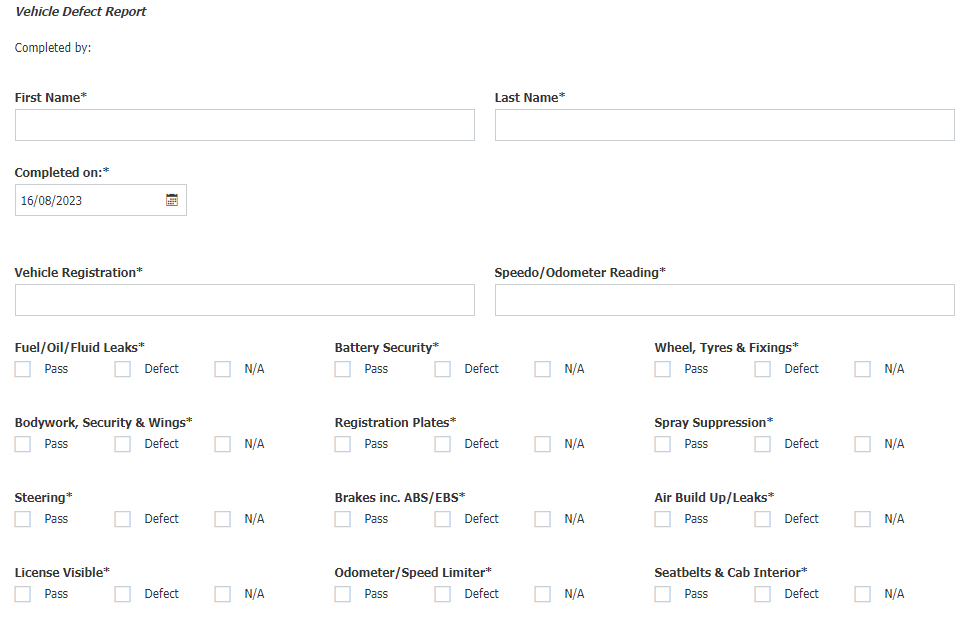
The haulage businesses we've worked with have replaced their paper forms with web-based electronic forms, which works particularly well for the daily vehilce checks.
The driver simply brings up the form on their mobile phone or a tablet and completes their check right by the vehicle. This saves them time as it can be done anywhere and they don't need to return to the transport office to hand it in.
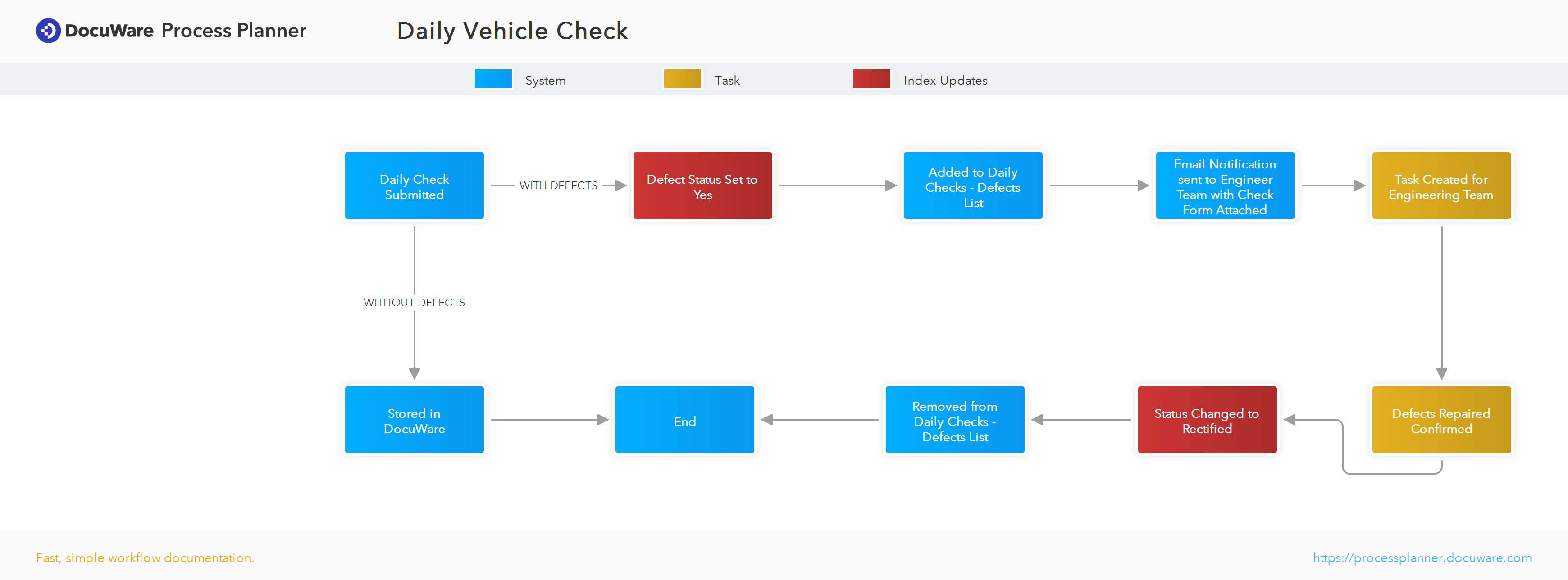
With the form submitted, the automated workflows kick off:
As you can see from the above process plan once the form is submitted there is no need for a person to get involved unless a defect is reported, in which case an engineer is automatically notified, carries out the work and confirms its completion - the only human interaction required. Obviously this is a simplified process for the purposes of this guide but you can clearly see how efficient and simple things can be with an electronic form and workflow automation.
When you combine document management with it's Intelligent Indexing with workflow automation described above and integration with over 500 third party software packages you benefit from a powerful system that provides cost savings, much improved efficiencies and a more productive workforce.