

By Keeley Travis on Mar 13, 2023, 9:00:59 AM

We know - from experience - that the hiring process can be frustrating, hard to manage and time consuming but with the introduction of a preconfigured HR solution from DocuWare it's now incredibly easy to streamline and simplify the whole process.
The headaches come from what is hopefully a deluge of CVs and cover letters to review, the organisation of them into yes, no and maybe piles, arranging interviews and second interviews then sending out rejection emails and, of course, the ultimate goal, offer letters and employment contracts to be signed.
The amount of paperwork generated can be huge and the process itself extremely time consuming. The good news is that DocuWare for HR eliminates the paperwork and saves a a massive amount of time. Oh, and it means you don't need to hire an expensive recruitment agency too!
There are privacy issues to think of too. The potential for an applicant's information to be seen by other employees - by CVs lying around the office or left on printers for example - is high. DcouWare for HR protects against this too.
Key Benefits
- ZERO paperwork generated - all documents are generated and stored online, allowing you to be 100% paperless
- Application forms, CVs, cover letters and associated paperwork easily searchable within DocuWare - no more looking in filing cabinets or rooting through piles of paper on your desk
- Automated workflows and communication (internal AND external) based on decisions made within DocuWare, saving huge amounts of time
- Complete security and data privacy as documents can only be accessed by tose with permission
How It Works
DocuWare for HR kicks in as soon as a requirement for a new member of staff is identified. The new position is created either by the HR manager or director or it can be requested by a head of department or supervisor. In either case the position is raised via a simple online form.
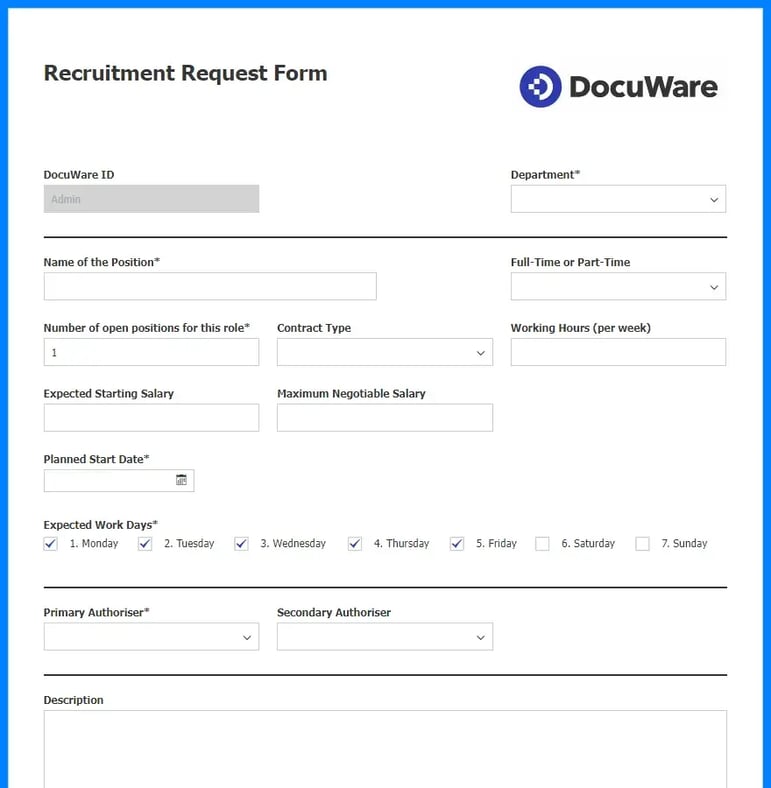
If the position is opened by a senior person it becomes available straightaway. If requested by a department head or similar, an approval process begins where the opening can be approved or rejected.
Let's assume the position is approved for hiring. You would advertise the role through your normal channels - via Indeed and/or LinkedIn for example - and direct applicants to a DocuWare application form online.
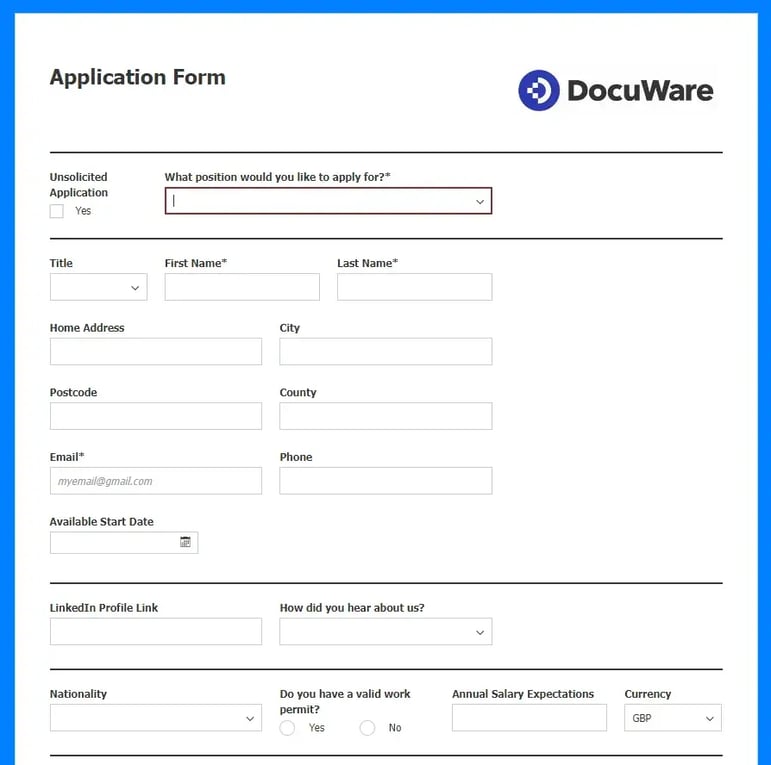
The application form - indeed any DocuWare form can be tailored to capture as much or as little information as you require and can be branded with your company's logo and colour scheme.
The applicant can choose the role they are applying for from the dropdown (assuming more than one role is available) then fill in their personal details, upload a CV and/or covering letter and complete any other information you need before submitting the form.
Once the application is submitted a DocuWare workflow is triggered which raises a task within the DocuWare dashboard for the nominated person in the business (HR manager/administrator or a director) to review the application and decide how to proceed, as follows:
- Defer to the department supervisor to make the decision
- Schedule an interview with the applicant (with several options for interview type, attendees, interview date etc) - your YES pile
- Add to Talent Pool – which stores the applicant’s details for future consideration but does not progress this particular application - your MAYBE pile
- Reject the candidate (and send rejection email with reasoning if you wish) - your NO pile
Let’s assume in this case the interview is scheduled by the HR department - this is what the dashboard would look like:
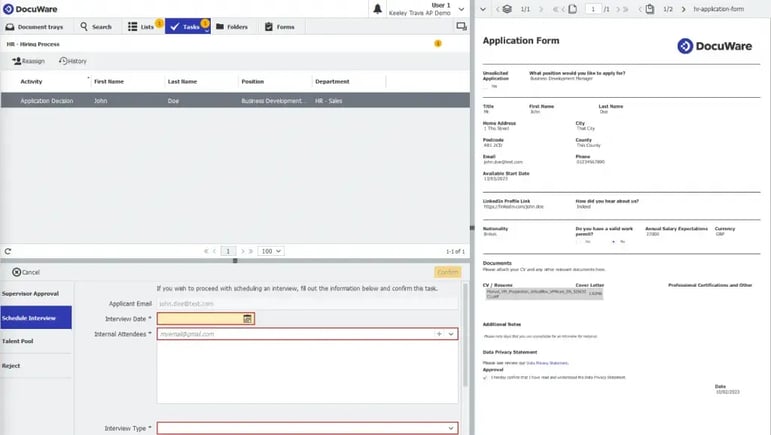
With the interview confirmed and emails sent to those required to attend DocuWare waits until the interview date is reached. On that date the workflow raises a new task to be addressed after the interview has taken place, offering five options:
- Hire the candidate
- Arrange a second interview
- Put the application on hold
- Terminate the application process and put the applicant into the talent pool
- Reject the candidate outright
Option 2 simply repeats the interview process outlined above. Option 3 allows you to pause the process for a selected amount of time. Option 4 informs the applicant they were unsuccessful but stores their details in DocuWare for potential future positions. Option 5 will also inform the applicant but also delete their details from the system. All fairly straightforward.
Option 1 is, of course, your ultimate goal - filling the position with the right candidate. This process can be tailored to your specific needs and may involve automatically sending an offer letter and/or employment contract with a congratulatory email for example.
Once a signed employment contract is received you would store that in DocuWare and kick off the employee onboarding process - but that's for another blog post!
Your entire recruitment process is streamlned and simplified down to just a few clicks - the only thing we can't do is read the applications and CVs and make the decisions for you!

Office printers on contract? We can STILL save you money with our print management software

CASE STUDY: Kids Zone Nursery Group invests in DocuWare

No Comments Yet
Let us know what you think