

By Keeley Travis on Jun 26, 2025, 4:07:32 PM
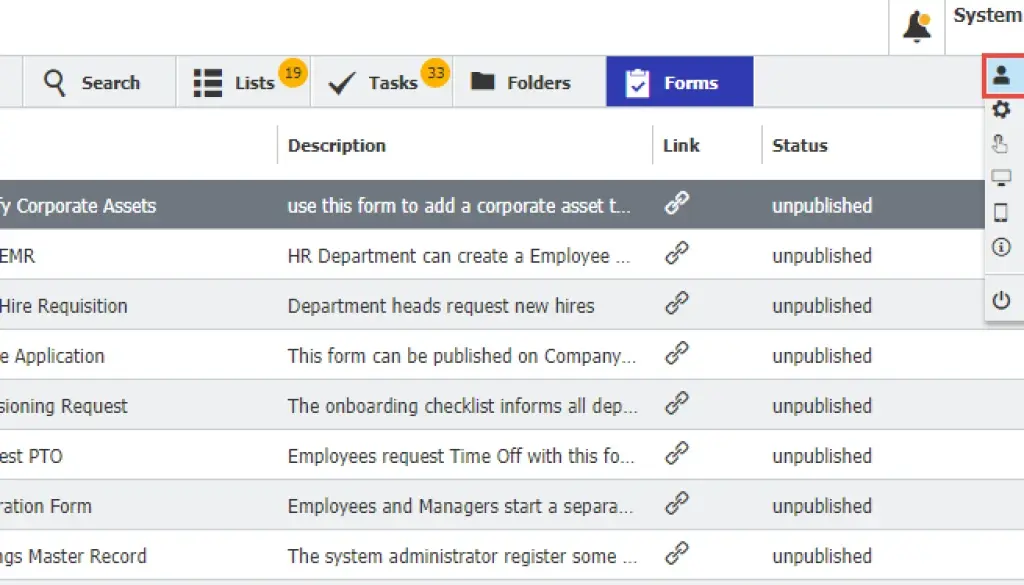
No DocuWare user - or user of any software, really - uses it the same way. That's why DocuWare comes with personal settings, allowing users to optimise their working environment. To make DocuWare THEIR DocuWare.
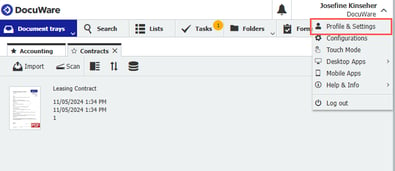
Profile Settings, conveniently accessible in the dropdown under your name, gives access to a wealth of options to customise DocuWare.
This includes hiding or showing certain seach dialogs, forms and lists, changing the order of many elements and even how the document viewer works.
All of these are specific to your personal client and you don't need administrator access to do it - you can change any of the settings whenever you want.
Once you click on Profile Settings you are presented with a series of tabs.

Let's go through each one and see what options you have available.
Profile
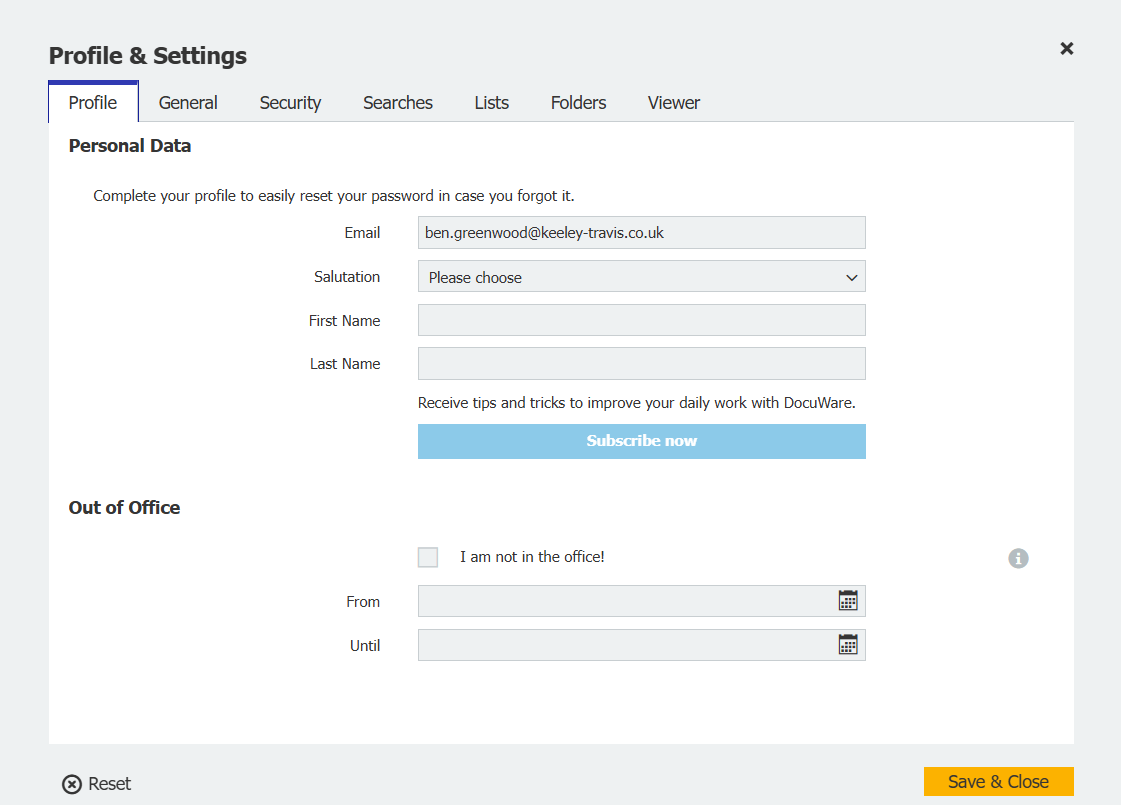
Quite simply this allows you to update your email address and name and, crucially, set your DocuWare Out of Office.
If you are responsible for approving documents or other types of Tasks, when you are on holiday or out of the office and you set this, DocuWare will immediately assign your Tasks to the next available person, as determined by the system. This is a key part of DocuWare - but one often ignored!
General
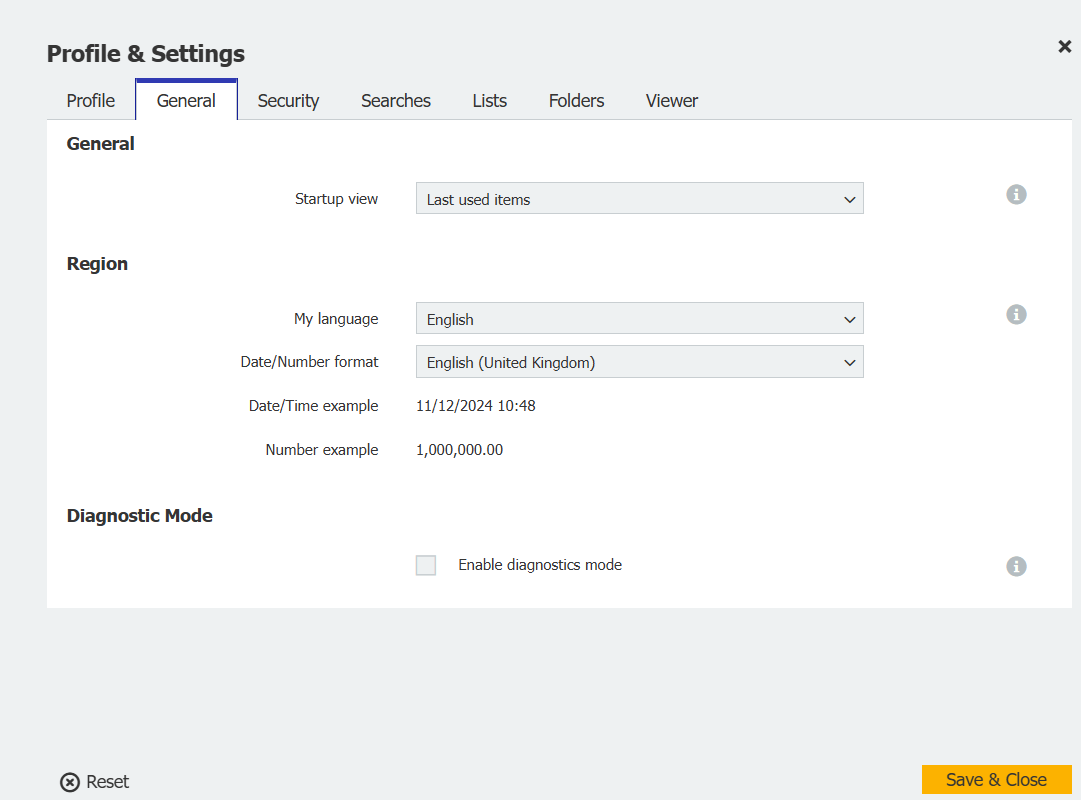
Here you can set your start up location - ie, the first thing you see when you log into DocuWare each day - as well as adjust your language and date/time format.
This will affect what you see elsewhere in DocuWare, such as invoice and expiry dates and default currency.
Should it ever be needed - and I've never seen it needed - you can also tick the Diagnostic Mode box which allows for debugging in case anything goes weird!
Security
Unsurprisingly, this is where you would change your password if needed.
But it also gives you two other tools which could be of use.
The first is the ability remove your account from certain configurations, perhaps because you don't recognise them or because you are no longer required ot be part of them. As an example, you may have been added to the full invoice processing workflow but are only required to approve - you could therefore remove your account from the Validation stage.
The second gives you the ability to revoke access to DocuWare on certain devices or applications where it no longer required. This could be a home PC or mobile device for example.
Document trays / Searches / Lists / Folders/ Forms
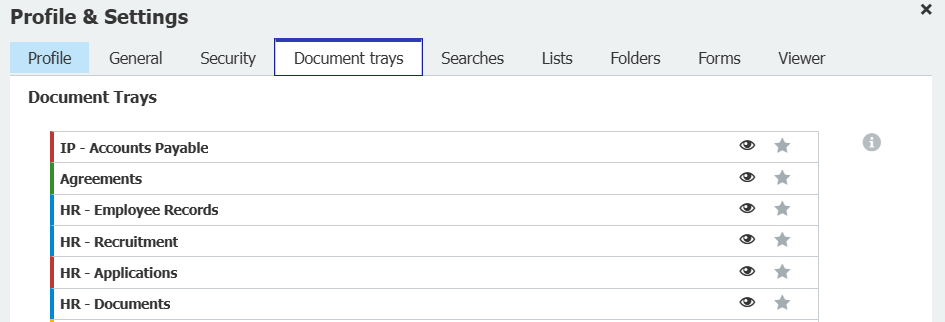
A DocuWare system can have many document trays, store dialogs, search options, lists, folders and forms to which you may have access - but not all of them may be relevant to you at all times. By default these are all available to you from dropdowns on DocuWare's frontend, which can be cumbersome.
From these sections of Profile Settings you can hide those you use infrequently (or not at all!) to reduce clutter, keep your workspce tidy and work even quicker within your personal DocuWare account.
Of course, once hidden you do have the ability to unhide them should circumstances change - all with a single click.
You can also reorder each of these elements, bringing your most commonly used ones to the top of the dropdowns - very useful if you have more than a couple you need to access.
Viewer
Finally we have Viewer - which may prove to be the most useful settings available to you.
Typically the DocuWare front end is split into two - on the right is the Document Viewer, on the left is the function you are using (whether tray, search, list or Tasks for example). It's desinged for a single screen which obviously limits real estate.
Fortunately, you can change this to either:
- Open Document View in a new window - this will give you full screen access to DocuWare's functions in your browser and when you double-click a document to open it, it opens in a brand new window which can be dragged to a second screen. This would be useful for approvers or just people who need to view the document.
- Open Document Viewer with index dialog in a new window - this does the same as above but within the new window you have more information about what data DocuWare has indexed from the document. This view would be better for those who have to work with and/or process the document.
Here are the two Document Views:
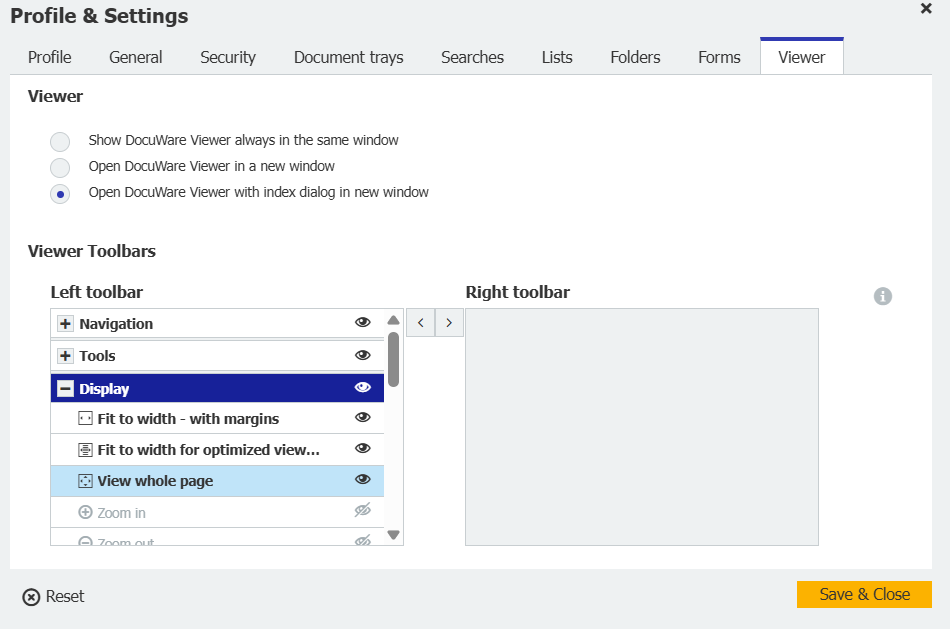
Also in this section is the ability to customise DocuWare's comprehensive toolbars, position the various tools on the left or right or hiding them completely.
The point is, you're not just stuck with how you see DocuWare the first time you log in - you can customise almost all the elements to suit the way you work, the documents you work with.
It's pretty powerful stuff, it's a nice touch in software that is often overlooked, helping DocuWare stand above other document management systems on the market.
DocuWare + Microsoft = Productivity
How to use DocuWare for customer service
No Comments Yet
Let us know what you think